Claude for beginners (English)
Mandag 9. november
12:00 – 15:00
TRY
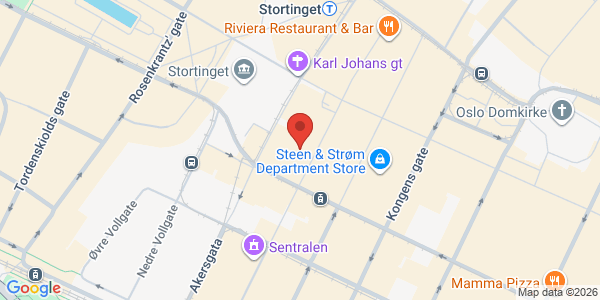
Øvre Slottsgate 11, Oslo, Norge
Om arrangementet
Arrangør: TRY
A breakfast seminar gives you direction. A course gives you skills.
This is the same course we run for all employees at TRY, and now we open it to you. In three hours, we take you from the basic ideas to practical use that you can bring straight back to work. After the course, every participant uses Claude on their own.
Practical information
Date: 9th of November 2026
Time: 12:00 to 15:00
Duration: 3 hours
Language: English
Place: TRY, Øvre Slottsgate 11, Oslo. 4th floor
Price: NOK 2,990 per person
You need: A Claude license and your own PC or Mac. It is also nice with access to Cowork.
From beginner to expert user in three hours
Most people who use Claude today use only a small part of what it can do. They chat. They ask a question. They get an answer. And they stop there.
Claude in 2026 is a work environment. It can read your documents, connect to the tools you already use, build finished deliverables, and do tasks you did not know you could delegate. But only if you know how.
This course takes you there. In three hours.
It is the same course we run for more than 400 employees at TRY. It is developed and taught by TRY's own AI experts, the people who use Claude every day in real client projects. You bring your own PC or Mac and work in Claude during the whole course. When you leave, you use the tool at a much higher level than when you arrived.
Module 1: Understand
AI as a work partner: mindset, strengths and limits
Before you can master the tool, you need to know what it is and what it can and cannot do. This module gives you the base knowledge. How does a language model "think"? What is it good at, and where does it fail? What does that mean for how you use it? You learn the principles for working with AI in a way that gives results you can trust, including ethics, privacy and the most common mistakes.
You go from guessing what Claude can do to knowing.
Module 2: Master
Practical introduction: interface, conversations and prompting
Now we open the tool. You learn to use Claude the way it is meant to be used: conversations with context, attachments, web search, projects and structured prompting. You learn how to give Claude enough information so the answers are precise and useful, not general. And you learn the difference between asking a question and giving an assignment.
After this module, you use Claude on your own, and in an efficient way, in your daily work.
Module 3: Use
Advanced Claude: Cowork, Skills, Artifacts, Connectors and agents
Here we go deeper into what separates a normal user from an expert user. You learn to use Cowork, where Claude works directly with your files. You learn to build and use Skills: custom work routines that help Claude understand your context and deliver more precise results. You work with Artifacts: finished documents, analyses and deliverables that Claude builds for you. And you see how Connectors link Claude to the tools your organization already uses.
You go from using Claude as an assistant to working with Claude as a colleague.

Billetter
- Claude for beginners2 990 krekskl. mva.
- Student ticket500 krekskl. mva.